For those of you who may have missed it, the Android team recently released an upgraded emulator image that has support for native OpenGL ES 2.0! That’s right; not only is it now supported, but the calls are translated to desktop OpenGL so they can be accelerated by your native graphics layer. It’s still better to test on an actual device, but this is a great boon for those who want to try out their app on different form factors without having to go out and buy a bunch of tablets and devices.
Check out the video:
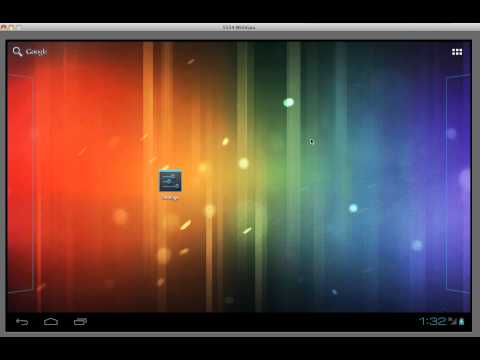
Three notes about the GPU emulation
- First, you need to edit your emulator image, go down to the hardware section, and add “GPU Emulation” and set it to true.
- Second, there’s a bug with the emulator such that this line: “final boolean supportsEs2 = configurationInfo.reqGlEsVersion >= 0×20000;” does not work. It will always return false. You can add “|| Build.FINGERPRINT.startsWith(“generic”)” or simply comment out these checks and assume that OpenGL ES 2 is supported, when running on the emulator.
- Finally, if it crashes with “no config found”, try adding this line before the call to “setRenderer(…)”: “glSurfaceView.setEGLConfigChooser(8 , 8, 8, 8, 16, 0);”
A quick roundup
- OpenGL Multiple Rendering Targets
- A Faster Emulator with Better Hardware Support
- Android Takes over US Smartphone Market
Hope that everyone is enjoying the gradually improving weather out there.
this is super awesome!Now there’s really no need to buy those expensive tablets.
How should i do this .I should make changes in android SDK ?? I dont have mobile device and only way to run my app is Android AVD ..So please explain me in step by step .I will be very thank full!!!!!! pls help.
Hi Avinash,
You will need to do the following:
1) Add Android 4.0.3 (or later) image.
2) Edit the image. Next to “Hardware:”, Select “New…”
3) Add “GPU emulation”.
4) Set its value to “Yes”.
5) In your code, comment out any checks of configurationInfo.reqGlEsVersion — this won’t work on the emulator.
That’s pretty much it! It should be working after that.
Hi, can you explain more about steps? where I find Android 4.0.3 image?
I downloaded ‘adt-bundle-windows-x86-20130219.zip’ …..
I wanna know how to run my OpenGL ES2 app on emulator. thanks in advance
Hi Ehsan,
You can now do it by downloading the latest ADT bundle from here: http://developer.android.com/sdk/installing/bundle.html. Then you can just create an emulator image and check “Use Host GPU”. This should work!
It’s not working on my ubuntu. It gives a NullPointerException in onResume();
Is that even with the fix by changing “final boolean supportsEs2 = configurationInfo.reqGlEsVersion >= 0×20000;” ? You can just set it to true. You also have to ensure that “GPU Emulation” is true and that you’re using a 4.0.3+ emulator.
Let me know!
Yeah I’ve followed the three suggestions
Yeah I’ve followed the three suggestions.
I dunno then, let us know if you find a fix!
Pingback: Calling OpenGL from Android Using the NDK | Learn OpenGL ES
Pingback: Android SDK emulator not supporting OpenGL es 2.0 error | BlogoSfera
Thanks for these wonderful steps
Thanks, You are a life saver 🙂
Pingback: Android Lesson One: Getting Started | Learn OpenGL ES
Wonderful, it worked